Finite Scheduling
Build schedules that respect actual work-center capacity, setup, run, teardown, move times, priorities, and due dates, giving planners a realistic board instead of an infinite-capacity ERP promise.

Planify by OnePlanify gives manufacturers a visual production scheduling workspace that respects real shop floor constraints—capacity, setups, shifts, routings, dependencies, and disruption. Replace fragile spreadsheets and infinite-capacity ERP schedules with a browser-based finite scheduler your planner can adjust quickly, validate before committing, and share with the floor without a long IT project or consultant-heavy APS rollout.
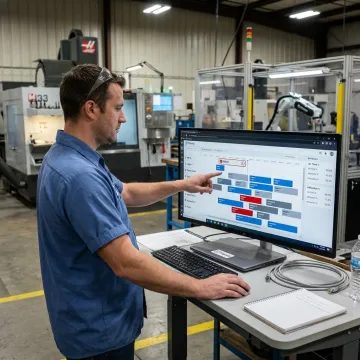
Explore Planify features built for real capacity, constraints, disruptions, and shop floor execution.
Build schedules that respect actual work-center capacity, setup, run, teardown, move times, priorities, and due dates, giving planners a realistic board instead of an infinite-capacity ERP promise.
Model machine breakdowns, rush orders, and other disruptions in Pretend mode before committing, then replan the full board in seconds while preserving constraints.
Place jobs inside real shift calendars, including overtime rules, holiday exceptions, weekend closures, and workforce availability across first, second, and third shifts.
Sequence jobs around setup, run, teardown, and move times, grouping compatible work to reduce re-tooling and reveal honest machine utilization.
Enforce multi-operation routings and parent-child work order dependencies so downstream work never starts before upstream operations are complete.
Connect work orders, routings, and work-center data from your ERP, then dispatch sequenced operations back to the floor without replacing your system.
Planify turns your production board into a living schedule that matches how work actually moves through the floor. It accounts for capacity, shifts, setups, routings, and dependencies, then lets planners model disruptions before committing. The result is a visual, spreadsheet-familiar scheduling layer that sits alongside your ERP and helps the floor execute with confidence every day.
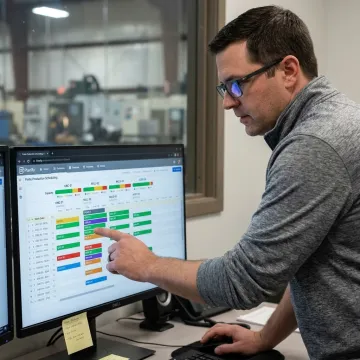
Planify helps manufacturers schedule with confidence, speed, and real shop floor constraints.
Planners get finite scheduling power without abandoning the intuitive grid-style workflow they already understand.
Planify handles setups, shifts, dependencies, and disruptions that spreadsheets and ERP modules often miss.
Run what-if scenarios in Pretend mode before committing schedule changes after breakdowns or expedites.
Connect work orders, routings, and work centers without replacing the ERP you already use.
Meet the manufacturing scheduling expertise behind every Planify implementation.

Scheduling Specialist
Dave has dedicated his career to assisting manufacturing companies in improving performance through strategic software solutions. He has had direct experience with many of the leading ERP and CAD/CAM providers.
Visual production scheduler software gives planners a graphical view of work orders, work centers, timing, capacity, and dependencies. Planify uses a browser-based board to help manufacturers sequence jobs realistically, not just list due dates. It accounts for setups, shift calendars, routing steps, and disruptions so the schedule reflects what the shop floor can actually run.
Get practical answers about scheduling, ERP data, and implementation.

No on-prem installation or IT project required.
Works alongside major manufacturing ERP systems.
Hands-on setup for smoother scheduling adoption.
Tell us about your production floor, ERP, work centers, and scheduling challenges. The Planify team will help you evaluate the right next step.
To help us assist you faster, please include the reason for your message so the relevant team can reach out as soon as possible.
To help us assist you faster, please include the reason for your message so the relevant team can reach out as soon as possible.