Finite Scheduling
Sequence work orders using real capacity, due dates, setups, run times, teardown, move time, and work-center limits instead of infinite-capacity ERP assumptions or manual spreadsheet logic.

Planify by OnePlanify gives manufacturing teams a visual, browser-based way to build schedules that reflect real shop-floor constraints. Replace fragile spreadsheets and infinite-capacity ERP plans with finite scheduling that accounts for setups, shifts, routings, dependencies, and disruptions—so planners can publish a board the floor can actually run with confidence.

Explore Planify capabilities that make production schedules visual, finite, disruption-ready, and realistic for manufacturing floors.
Sequence work orders using real capacity, due dates, setups, run times, teardown, move time, and work-center limits instead of infinite-capacity ERP assumptions or manual spreadsheet logic.
Replan the full schedule in seconds when a rush order lands or a machine goes down, using Pretend mode to preview downstream impact before committing.
Place jobs inside actual shift calendars with overtime rules, holidays, weekend closures, calendar exceptions, and workforce availability reflected by work center.
Model sequence-dependent setup times, group compatible jobs, and reduce hidden capacity losses caused by tool changes, machine resets, and rework between operations.
Enforce operation routings and predecessor relationships so downstream work never starts before upstream steps or parent-child work orders are complete.
Connect work orders, routings, work centers, and scheduling outputs with your ERP through practical CSV, API, or database read patterns during onboarding.
Planify turns complex production planning into a clear, visual scheduling board your team can actually use. Instead of forcing planners to choose between fragile spreadsheets and heavy APS implementations, it combines spreadsheet-like usability with finite scheduling logic for setups, shifts, dependencies, ERP data, and disruption response—helping manufacturers make faster, more reliable scheduling decisions.
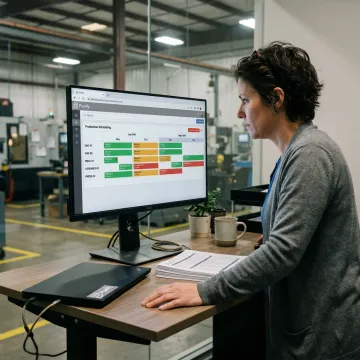
Planify helps manufacturers build schedules that match real production conditions.
Planify combines finite scheduling power with a spreadsheet-familiar workspace planners can adopt quickly.
Built specifically for shop-floor constraints like setups, shifts, dependencies, and daily disruption.
Run what-if scenarios before committing, so rush orders and breakdowns are handled confidently.
Connect ERP data without replacing your system or launching a separate integration project.
Meet the team behind Planify scheduling software.

Scheduling Specialist
Dave has dedicated his career to assisting manufacturing companies in improving performance through strategic software solutions. He has had direct experience with many of the leading ERP and CAD/CAM providers.
Visual planning software for scheduling gives planners a graphical way to sequence work, spot conflicts, and adjust capacity without rebuilding spreadsheets manually. Planify adds finite scheduling logic behind the visual board, accounting for setups, shift calendars, routing dependencies, overtime rules, and disruptions so the schedule reflects what your manufacturing floor can actually run.
Talk with OnePlanify about your scheduling workflow and constraints.

Focused on real manufacturing scheduling complexity.
Built for planners who know spreadsheets.
Designed for live shop-floor constraints.
Request a meeting to review your scheduling challenges, work orders, shift rules, and routing complexity. The OnePlanify team can show how Planify turns your floor into a living, constraint-aware schedule.
To help us assist you faster, please include the reason for your message so the relevant team can reach out as soon as possible.
To help us assist you faster, please include the reason for your message so the relevant team can reach out as soon as possible.