Finite Scheduling
Create realistic work order schedules that respect capacity, due dates, setup time, move time, teardown, work centers, and forward or backward sequencing logic.

Replace fragile spreadsheets and infinite-capacity ERP schedules with Job Scheduling Software built for real manufacturing constraints. Planify by OnePlanify helps planners sequence work orders, model setups, respect shifts, enforce dependencies, and replan disruptions in seconds. Get a browser-based scheduling layer your shop floor can actually follow, without a long IT project.
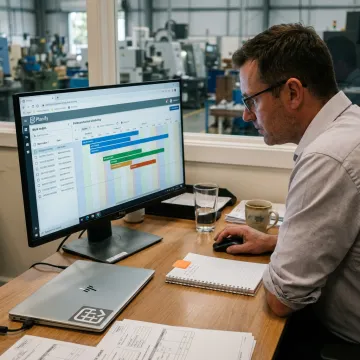
Planify brings finite scheduling, shift logic, setup modeling, dependencies, replanning, and ERP connectivity into one practical system.
Create realistic work order schedules that respect capacity, due dates, setup time, move time, teardown, work centers, and forward or backward sequencing logic.
Model rush orders, machine breakdowns, and changing priorities before committing. Preview downstream impacts, compare options, and replan the full board in seconds.
Schedule work inside actual first, second, and third shift calendars, including holidays, weekend closures, workforce availability, exceptions, and overtime authorization rules.
Model sequence-dependent setup times and group compatible jobs so machines spend less time being re-tooled and more time producing usable output.
Enforce operation routings and cross-work-order dependencies so downstream work never starts before the required upstream operation is complete.
Pull work orders, routings, and work-center data from your ERP, then dispatch sequenced operations back to your production workflow.
Planify turns complex job sequencing into a clear, usable production schedule. Planners can model real machine capacity, setup time, shift calendars, dependencies, and disruptions in one browser-based workspace. Instead of forcing your team to choose between rigid ERP schedules and fragile spreadsheets, OnePlanify gives manufacturers a practical scheduling layer built for everyday shop floor decisions.
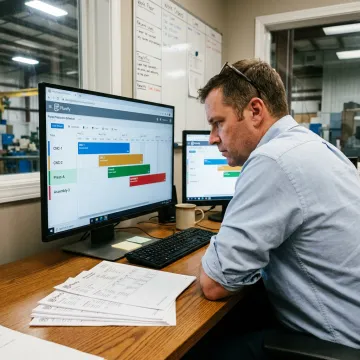
OnePlanify helps manufacturers replace guesswork with schedules grounded in operational reality.
Planify is built specifically around real shop floor complexity, not generic calendar scheduling.
Finite scheduling accounts for actual machine capacity, setup time, shift calendars, and dependencies.
Planners can model disruptions in Pretend mode before committing changes to the active schedule.
Small-batch onboarding helps teams connect data and run schedules without a separate IT project.
Meet the team behind Planify by OnePlanify.

Scheduling Specialist
Dave has dedicated his career to assisting manufacturing companies in improving performance through strategic software solutions. He has had direct experience with many of the leading ERP and CAD/CAM providers.
Job scheduling software helps manufacturers plan, sequence, and adjust work across machines, labor, shifts, and dependencies. Instead of relying on spreadsheets or infinite-capacity ERP dates, Planify creates a finite schedule that respects real shop floor constraints, including setup time, routing order, shift calendars, and rush-order disruptions. The result is a schedule planners can publish and teams can actually execute.
Talk with OnePlanify about your scheduling constraints and production goals.

Browser-based access without on-prem installation.
Connects scheduling with production ERP data.
Hands-on setup for manufacturing teams.
Tell the OnePlanify team about your floor, ERP, work centers, shifts, and scheduling challenges. We’ll help you determine whether Planify fits your operation and show how it can run on your real work orders.
To help us assist you faster, please include the reason for your message so the relevant team can reach out as soon as possible.
To help us assist you faster, please include the reason for your message so the relevant team can reach out as soon as possible.