Finite Scheduling
Schedule work orders against real machine and labor capacity, including setup, run, teardown, move time, priorities, and due dates. Planify replaces infinite-capacity assumptions with a practical shop floor schedule.

OnePlanify delivers Plant Asset Management Software that helps manufacturers plan machine capacity, work-center schedules, setups, shifts, dependencies, and disruptions in one browser-based system. Built for real shop floor conditions, Planify turns complex production constraints into a schedule planners can trust, update quickly, and use to keep equipment, labor, and orders moving together.
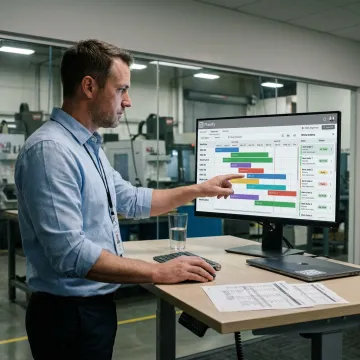
Planify connects plant assets, work orders, shifts, routings, and constraints into one finite scheduling system.
Schedule work orders against real machine and labor capacity, including setup, run, teardown, move time, priorities, and due dates. Planify replaces infinite-capacity assumptions with a practical shop floor schedule.
Model sequence-dependent setup times and group compatible jobs so machines spend more time producing and less time waiting for tooling, rework, or avoidable changeovers between operations.
Place work inside actual shift calendars, overtime rules, holidays, weekend closures, and work-center availability so schedules reflect when people and equipment are truly available.
Enforce operation sequences such as mill to weld to finish, plus parent-child work order links, so downstream jobs never start before upstream dependencies are complete.
Use Pretend mode to model rush orders, machine breakdowns, and priority changes before committing. See downstream impact in seconds and choose the least-disruptive schedule.
Connect ERP work orders, routings, and work-center data into Planify through CSV, API, or database read patterns without replacing your existing ERP system.
Planify helps manufacturers manage plant assets by turning machines, work centers, crews, calendars, routings, and constraints into a living finite schedule. Instead of assuming unlimited capacity, it shows what your floor can actually run, what changes when priorities shift, and how every job depends on the next operation. The result is clearer commitments and fewer spreadsheet fire drills.
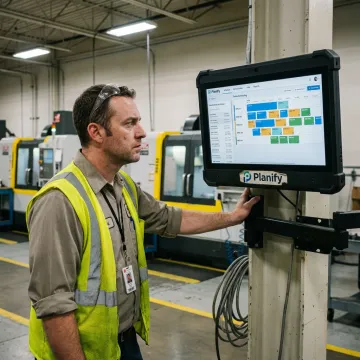
OnePlanify gives manufacturers a practical scheduling layer built for real production constraints.
Planify models setups, shifts, dependencies, and disruptions that generic planning tools often miss.
Advanced finite scheduling feels familiar to planners who are used to spreadsheet-style workflows.
Connect work orders, routings, and work centers without replacing your existing ERP.
Replan the whole board in seconds when rush orders or breakdowns hit.
Specialists focused on practical manufacturing scheduling solutions.

Scheduling Specialist
Dave has dedicated his career to assisting manufacturing companies in improving performance through strategic software solutions. He has had direct experience with many of the leading ERP and CAD/CAM providers.
Plant Asset Management Software helps manufacturers coordinate equipment, work centers, labor calendars, and production orders so assets are scheduled realistically. In Planify, that means finite scheduling across machines and operations, with setup times, shifts, dependencies, and disruption replanning included. The goal is to make machine capacity visible and usable, instead of relying on static spreadsheets or infinite-capacity ERP assumptions.
Talk with OnePlanify about your plant, assets, and scheduling constraints.

Built around practical finite capacity scheduling.
Designed for manufacturing shop floor complexity.
Supports connected ERP scheduling workflows.
Request a meeting to see Planify run on your work orders, routings, shift calendars, and machine constraints.
To help us assist you faster, please include the reason for your message so the relevant team can reach out as soon as possible.
To help us assist you faster, please include the reason for your message so the relevant team can reach out as soon as possible.