Finite Scheduling
Planify schedules jobs against real work-center capacity, setup, run, teardown, move time, and due dates, creating a shop floor plan that operators can actually follow.

Planify by OnePlanify helps manufacturers move beyond spreadsheet schedules with finite production planning that can connect to business systems, including QuickBooks workflows, through practical data integration patterns. Built for shop floors with setups, shifts, dependencies, and rush orders, it gives planners a browser-based schedule they can trust before work hits the floor while preserving real capacity constraints.
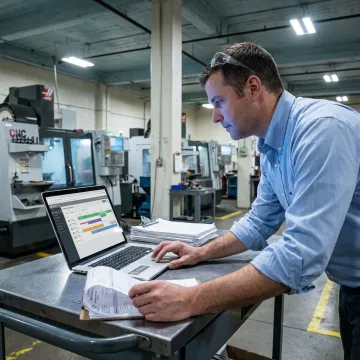
Planify connects planning data, constraints, and shop floor realities into one practical finite scheduling workspace.
Planify schedules jobs against real work-center capacity, setup, run, teardown, move time, and due dates, creating a shop floor plan that operators can actually follow.
Connect work orders, routings, and work-center data using practical ERP connectivity patterns, including CSV, API, and database-read approaches, so scheduling sits beside existing business systems.
Model machine breakdowns, expedite requests, and schedule disruptions in Pretend mode before committing changes, then replan the entire board in seconds with constraints preserved.
Place jobs inside real shift calendars with overtime rules, weekends, holidays, exceptions, and workforce availability considered, so operations never land on shifts that do not exist.
Model exact sequence-dependent setup times between jobs and group compatible work orders, helping machine shops, press shops, and similar operations reduce hidden changeover capacity losses.
Enforce multi-operation routings, predecessor locks, and parent-child work order dependencies so downstream work never starts before the upstream operation is truly complete.
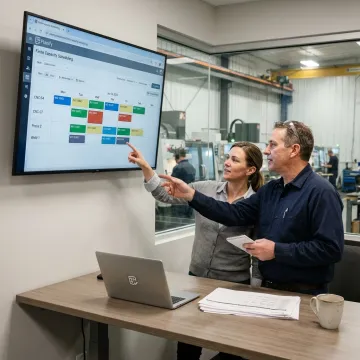
The Planify team reviews your production workflow, work orders, routings, work centers, and business data maintained in QuickBooks or ERP systems, then defines the cleanest import/export path using CSV, API, or database-read patterns.
OnePlanify helps manufacturers create realistic schedules without replacing their core business systems.
Planify models capacity, shifts, setups, dependencies, and disruptions instead of idealized infinite-capacity plans.
The workspace is designed to make comprehensive finite scheduling feel as approachable as a spreadsheet.
Quickly test rush orders, machine downtime, and changes in Pretend mode before committing.
Connect production data through practical CSV, API, and database-read patterns during guided onboarding.
Manufacturing scheduling expertise behind every guided Planify implementation.

Scheduling Specialist
Dave has dedicated his career to assisting manufacturing companies in improving performance through strategic software solutions. He has had direct experience with many of the leading ERP and CAD/CAM providers.
QuickBooks is compatible with many operational tools through direct connectors, exports, APIs, and third-party integration workflows. For manufacturers, the key is choosing scheduling software that can use the production data connected to your business systems. Planify supports practical ERP connectivity patterns, including CSV, API, and database-read approaches, to help planners schedule from real work orders, routings, and capacity data.
Get practical answers about integrations, onboarding, and shop floor scheduling.

Purpose-built for complex shop floor scheduling.
Runs in the browser without on-prem installation.
Guided setup for faster scheduling adoption.
Request a meeting to review your scheduling challenges, data connections, and onboarding fit with the Planify team.
To help us assist you faster, please include the reason for your message so the relevant team can reach out as soon as possible.
To help us assist you faster, please include the reason for your message so the relevant team can reach out as soon as possible.